


 Architecture
Single Node
NetEye can be run on a Single Node Architecture, i.e. as a self-contained server. Single Node is the basic variant of NetEye setup, and is aimed at small environments that require limited resources. Apart from that, running NetEye on a Single Node architecture is applicable in case your infrastructure does not require high availability. To maintain high availability of a monitoring environment, consider adopting a Cluster setup.
To start monitoring on a Single Node you only need to install NetEye, run initial configuration, and begin the actual process: define services, hosts, etc.
A variety of NetEye services may be run on a Single Node installation to fulfill monitoring functionality.
Single Node is a basic setup type, however, you can enhance your monitoring environment to a NetEye Cluster and/or set up several tenants to monitor simultaneously. To achieve the latter, your environment might use Satellite nodes as actors that help communicate data to the Master.
A Satellite Node should be set up together with a Single Node, and then configured individually.
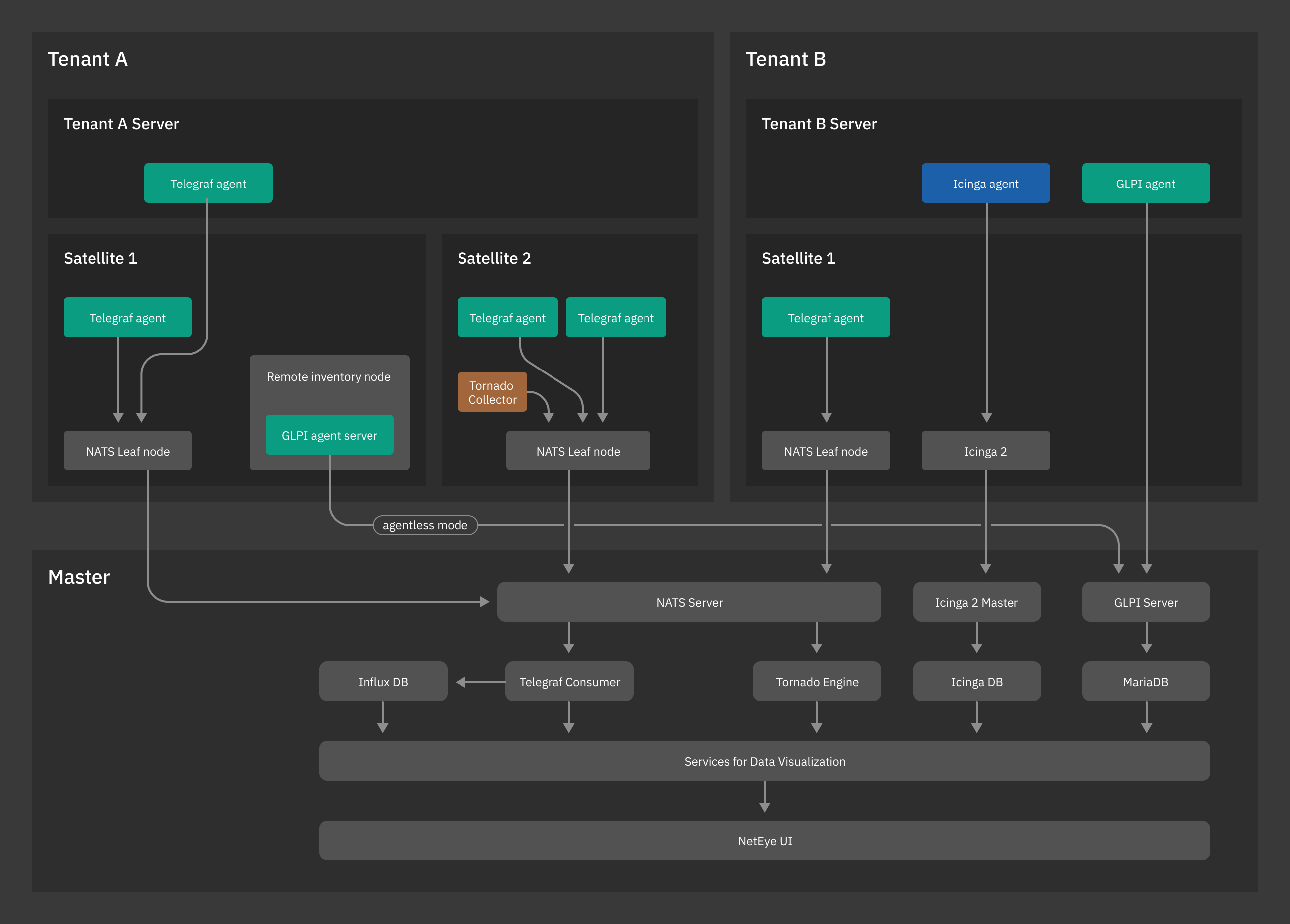
Fig. 1 A NetEye Single Node with tenants.
NetEye services on a NetEye Single Node installation are managed by
systemd. A single systemd target is a special systemd unit and
is responsible for managing start and stop operations of NetEye
services.
There can be more than one systemd unit available within installation, however, only one may be enabled. To find out which NetEye systemd target is currently active, use the following command.
neteye# systemctl list-units "neteye*.target"

